Setting Up Users
Users must be given a licence in order to use TrueDial. To do this, we recommend implementing User Access Policies.
- Navigate to Setup > User Management Settings
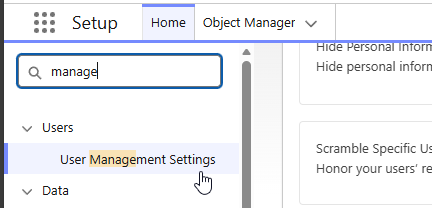
- Enable User Access Policies

- Now, User Access Policies will be available under Setup.

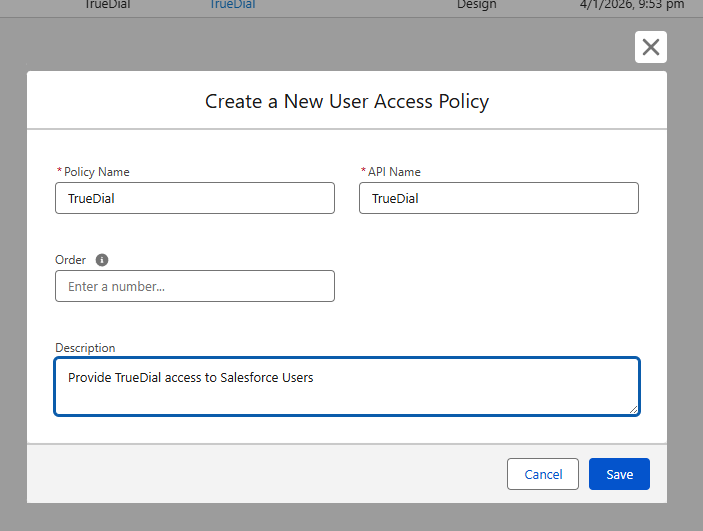
- Create a new User Access Policy, give it a Name and Description.
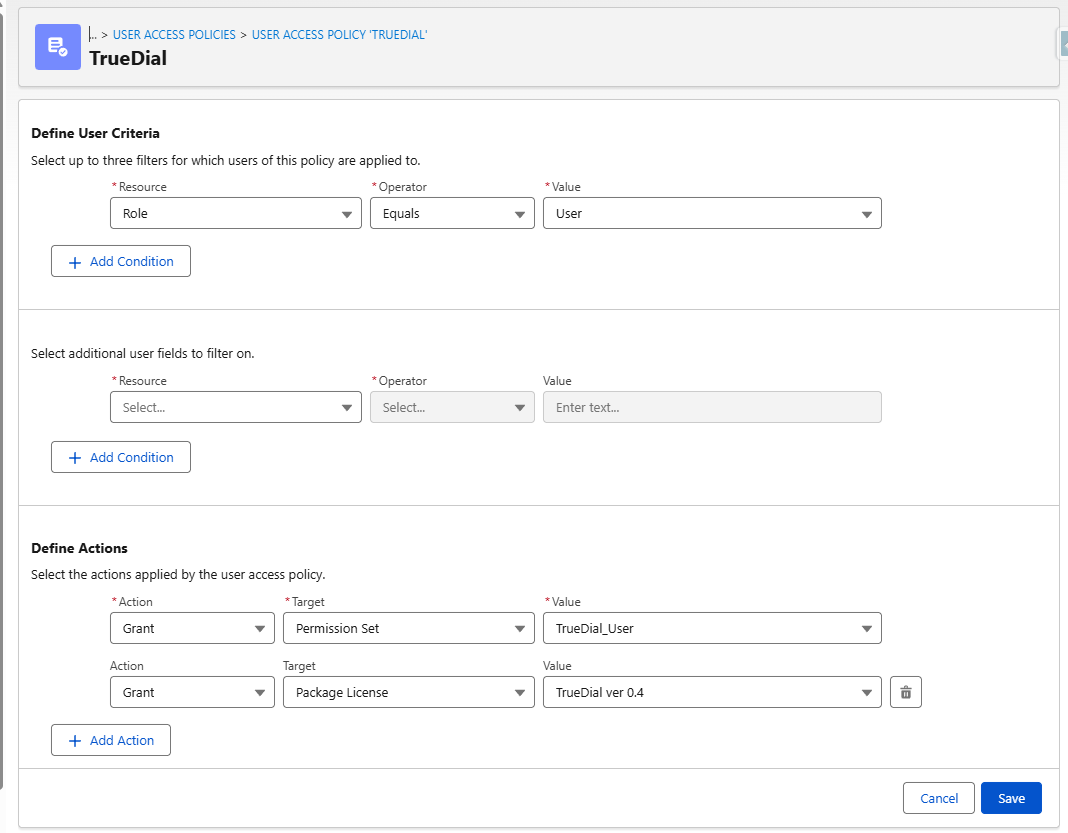
- Select one or more conditions on which users to target, grant the TrueDial User permission set, and TrueDial package licence. Then, click Save.
- Now, click Apply Policy to Users that Meet Criteria to apply this policy to existing users who match the criteria. Then, click Automate Policy to have this policy automatically
